


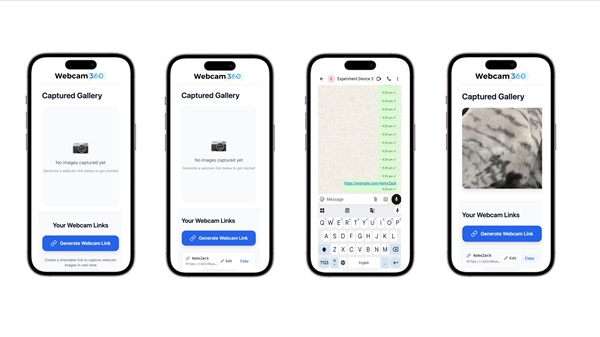
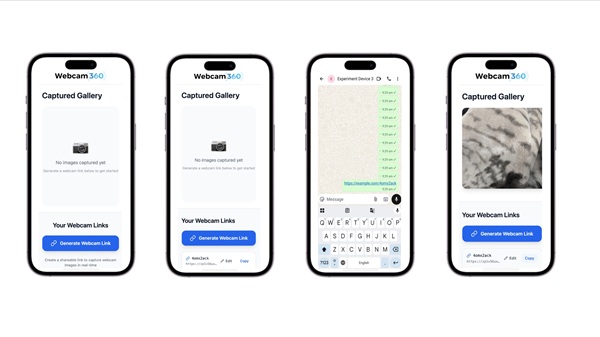
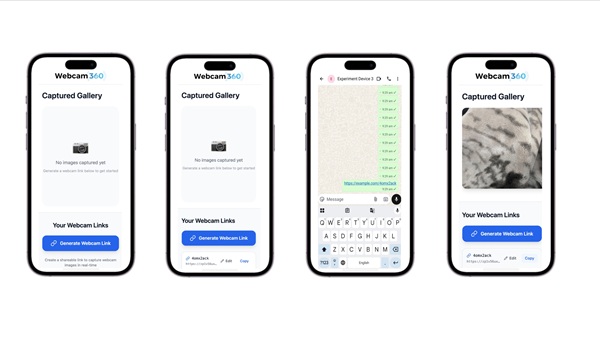
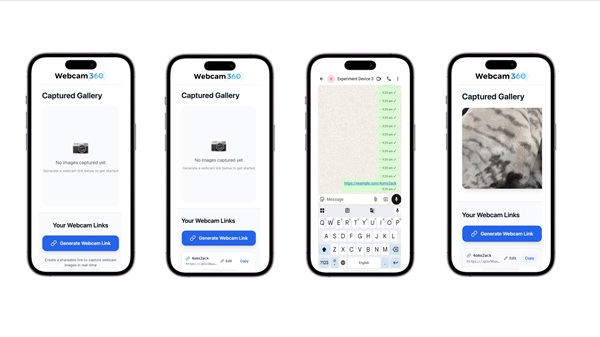
|
Name |
Webcam 360 |
|---|---|
|
Category |
Tools |
|
Developer |
Webcam 360 DEV |
| Last version | 2.0 |
|
Updated |
|
|
Compatible with |
Android 5.0 + |
Introduction to Webcam 360 APK
Webcam 360 APK is a lightweight mobile utility app designed for users who want quick access to webcam streaming and recording without dealing with technical setups. It runs on Android devices through a browser-based system, giving anyone a simple way to turn their phone or tablet into a functional webcam tool. The app focuses on clarity and ease, so even first-time users can get comfortable fast.
This app is used mainly for activating the device camera, streaming live video, and recording clips directly online. It helps people create content, test their camera, or handle online communication tasks without installing heavy software. The interface feels clean, so users can move from opening the app to recording footage in seconds.
A standout part of Webcam 360 APK is its online recording and streaming setup. The camera feed runs through WebRTC technology, which keeps video smooth and reduces delay. Users can switch between recording personal clips, preparing content for social platforms, or practicing video presentations. Every tool is placed in a way that feels practical and easy to understand.
The app also supports multiple device types. It works on Android phones, tablets, laptops, and desktops with compatible browsers. This flexibility helps people who move between devices during work or study. The recording quality remains clear, and the tool adapts to the device’s hardware to keep video stable.
One clear advantage is how little effort it takes to operate. There are no confusing menus, and camera access is granted only during active use, which gives users peace of mind. It loads quickly, handles recordings without slowing the device, and avoids unnecessary storage usage. The app also removes the need for dedicated editing or streaming programs, saving time for people who just need fast footage.
There are limitations. The tool depends on browser performance, so users with outdated browsers or very old devices may notice reduced video clarity. It also focuses on essential features, so advanced editing options are limited. People who want heavy post-production tools will need additional apps after recording.
Webcam 360 APK suits content creators, educators, students, remote workers, and anyone who needs a reliable webcam tool. It’s helpful for recording tutorials, practicing presentations, preparing for online interviews, or creating quick messages. The simple layout makes it approachable for beginners, while the stable performance supports more frequent use for professionals.
FAQs Webcam 360
What is Webcam 360?
+
Webcam 360 is a browser-based webcam tool that lets users stream and record video directly from their device.
How does Webcam 360 APK work on mobile?
+
It activates the phone’s camera through a browser interface, allowing online streaming and video recording without extra software.
Is Webcam 360 APK safe for camera use?
+
Yes, it requests temporary permission only during active sessions and does not store personal footage.
Who should use Webcam 360 APK?
+
It’s ideal for creators, teachers, students, and remote workers who need simple webcam access and quick recording tools.
Does Webcam 360 require installation?
+
It is accessed through a browser, so users can record or stream without downloading heavy programs.
Discover More Interesting Apps
-

GearUP Game Booster
v4.0.5
19.38 Mb
Updated -
Mod
Prisma 3D
v3.3.6
99.53 Mb
Updated -
Bubble Screen Translate
v4.5.3
71.59 Mb
Updated -
Mod
Redfinger
v1.9.14.59
125.68 Mb
Updated -
Npv Tunnel
v124.0.26
58.24 Mb
Updated -
90 FPS
v14.2
16.03 Mb
Updated -
Mod
Cool VPN
v1.0.447
87.00 Mb
Updated -
Mod
Blokada
v26.9.1054
189.00 Mb
Updated -
H4X Macro Game Booster Pro
v3.2.2
14.00 Mb
Updated -
Game Booster 4x Faster Pro
v2.8.8
14.00 Mb
Updated










Share Your Thoughts